A week ago, we released Koyal: open speech transcription models for Hindi, Kannada, Malayalam and Telugu. The official post has all the details. This is my personal side of it, plus a small script so you can try it on your own recordings today.
Why Koyal matters to me
I’ve believed every language deserves tools built for it, and small open models are how that becomes real. You can download them, run them yourself, and adapt them without depending on anyone’s API.
What makes Koyal special to me is that it does rich transcription, not verbatim. Real speech is full of false starts and hesitations, but what you want at the end is a document-ready transcript, with punctuation and numbers written the way you’d write them. Koyal gives you that directly, so you don’t need to build a clean-up layer on top.
Here is what that looks like. I gave the Malayalam model a 24-second clip of read speech, and this is exactly what came out:
പാലത്തിന്റെ താഴെയുള്ള കുത്തനെയുള്ള ഉയരം 15 മീറ്റർ ആണ്. ഇതിന്റെ നിർമ്മാണം 2011 ഓഗസ്റ്റിൽ പൂർത്തിയാക്കിയതാണ്, എന്നാൽ ഇത് 2017 മാർച്ച് വരെ ഗതാഗതത്തിനായി തുറന്ന് കൊടുത്തിട്ടില്ല.
There are full stops and commas, and “15”, “2011” and “2017” are written as digits instead of spelled out as words. You can paste that straight into a document.
Try it yourself (no technical background needed)
I’ll use the Malayalam model, koyal-ml-120m-1.0. This 0.1 billion parameter model (about 0.5 GB) and runs comfortably on an ordinary laptop. You don’t need a GPU. On my MacBook (M3), a 2.5-minute recording takes about 15 seconds.
Step 1: Install uv (one time)
uv is a tool that takes care of Python and every library the script needs, so you don’t have to set anything up yourself. Open a terminal and paste:
macOS / Linux
curl -LsSf https://astral.sh/uv/install.sh | sh
Windows (PowerShell)
powershell -ExecutionPolicy ByPass -c "irm https://astral.sh/uv/install.ps1 | iex"
Close and reopen the terminal afterwards.
Step 2: Get access to the model (one time)
The Koyal models are free, but you need to accept the terms on Hugging Face before you can download them.
- Create a free account at huggingface.co if you don’t have one.
- Open the model page and click “Agree and access repository”.
- Log in from the terminal and follow the prompts. It opens your browser, or you can paste an access token from huggingface.co/settings/tokens (the “Read” type is enough):
uvx hf auth login
Step 3: Download the script (one time)
Save transcribe.py into a folder, and open a terminal in that folder.
Step 4: Transcribe (every time)
uv run transcribe.py my_recording.mp3
That’s it. The transcript is printed on screen and also saved next to your audio as my_recording.txt.
The first run takes a few minutes, because it installs the libraries (including PyTorch, which is large) and downloads the model. Later runs start in seconds.
Coming back tomorrow with a new recording? Steps 1 to 3 are already done. Just open a terminal in the folder where you saved transcribe.py and run the same command with your new file:
uv run transcribe.py new_recording.mp3
If the audio is in another folder, give its full path instead, for example uv run transcribe.py ~/Downloads/new_recording.mp3.
A few other things you can do:
uv run transcribe.py interview.m4a lecture.wav    # several files at once
uv run transcribe.py my_audio_folder/             # every audio file in a folder
Most formats work out of the box: .mp3, .m4a (phone voice memos), .wav, .ogg/.opus (WhatsApp voice notes), .flac, and even the audio track of an .mp4 video. The script converts everything to the 16 kHz mono audio Koyal expects, so you don’t have to. Recordings of any length work, from a short voice note to an hour-long meeting.
No Malayalam recording handy? Grab a few clips from this sample dataset.
Good to know
- Clean audio helps. Read speech and dictation work best. Noisy, conversational audio is harder, and the model card shows the spread across benchmarks.
- Malayalam only, and not code-switched. For Hindi, Kannada or Telugu, swap the model name at the top of the script for
koyal-hi-120m-1.0,koyal-kn-120m-1.0orkoyal-te-120m-1.0.
For speech researchers
If you just wanted to transcribe your recordings, you’re all set. Feel free to skip this part.
This model works offline: it transcribes recorded audio files, not live speech as it happens. If you need streaming transcription, take a look at the multilingual koyal-indic-600m-1.0.
How the script handles long recordings. Koyal is trained on utterances of up to about 30 seconds, so the script splits longer audio before transcribing it. It uses Silero VAD, a small voice activity detector, to find the speech regions, and then:
- cuts only at pauses of half a second or longer, so no word is split,
- drops long silences, which saves compute and avoids confusing the model,
- packs the speech into segments of up to 30 seconds, transcribes them in batches, and joins the text back together.
On a 2.5-minute mp3 made from ten clips, every sentence came back, with a character error rate of 2.6% against the reference transcripts.
Thank you
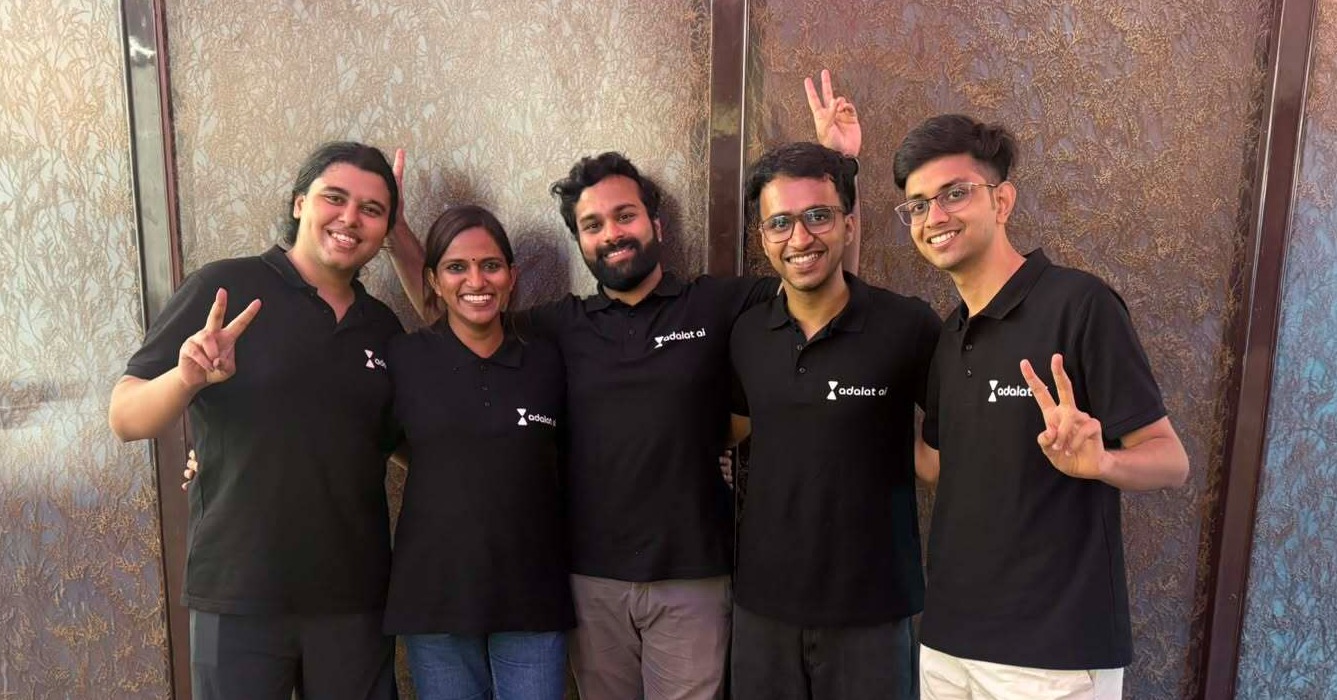
At Adalat AI (YC F26), the research team was encouraged to work on general-purpose models, not just legal-specific ones. Koyal stands on the shoulders of existing open research, and we believe in giving back to the community that made it possible. Kumarmanas Nethil, who leads ML at Adalat, shared this vision, and top leadership backed it fully. Thank you, Utkarsh Saxena and Arghya Bhattacharya. And cheers to Kush Juvekar and Dia Krishnan, who went to any length to get the research right and turned that vision into models you can actually download.
Thank you also to Sagar Desai and Arundhati Banerjee at NVIDIA, and to the Inception Program, for the support. Koyal is what came out when all of that came together.
I’m proud of this one, and grateful to everyone who made it happen. 🎉
If you try it, please tell us what works and what doesn’t. The Community tab on the model page is the best place.
- 🤗 Models
- 📝 Official post